Windows 11 Tests Controller-Friendly Power Controls and a Unified Battery Widget
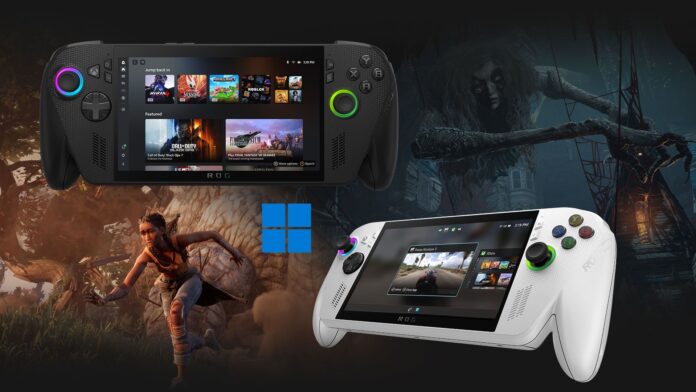
MS is testing a refreshed Gaming Task View for Windows 11’s XBOX mode. Its new navigation bar allows users to return to the desktop or restart and shut down their PCs entirely with a controller. Windows 11 is also gaining a Battery Status widget that displays charge levels for the PC and connected accessories, such as headsets and mice, on both the Widgets board and lock screen.
Both features are gradually rolling out to Windows Insiders and were tested on Build 26340.9750. Although neither update is groundbreaking, each addresses a longstanding inconvenience for Windows users.
Windows 11 XBOX Mode Gains a Gaming Task View With Power Options
According to the release notes for Build 26340.9750, MS is introducing an updated Gaming Task View experience in XBOX mode. The interface includes a new navigation bar offering quick access to Exit to Desktop and Power Options. The update arrived on October 16 for Insiders in the Experimental channel and in the Beta channel through Build 26220.9739.
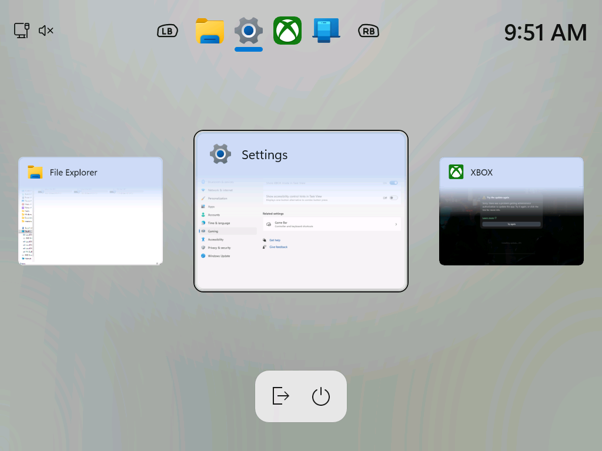
Gaming Task View presents open applications as large cards that users can cycle through with the controller’s LB and RB buttons. A compact bar at the bottom now provides two controls: one for returning to the desktop and another for opening the power menu.
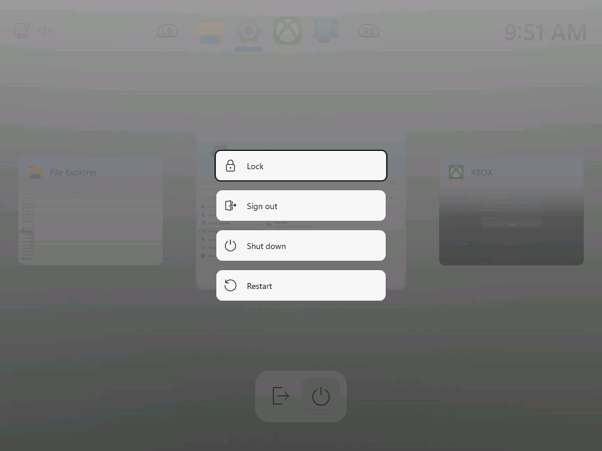
Selecting the power button opens a menu containing Lock, Sign out, Shut down, and Restart. It is a simple addition, but one that makes essential controls easier to reach on handheld PCs, computers connected to televisions, and other controller-focused setups.
Earlier versions of Xbox mode required users to press Windows key + Tab and select “Windows desktop” to leave the interface. That process was inconvenient on a television or handheld device because it often required finding a keyboard—precisely the kind of interruption a console-style interface should eliminate.
XBOX Mode Could Form the Foundation of MS’s Next XBOX
XBOX mode began as the full-screen experience available on ROG Xbox Ally handhelds. MS later renamed the feature and expanded it to Windows 11 desktops and laptops in May.
MS is also developing Project Helix, its next XBOX. CTO Scott Van Vliet recently stated that “Helix OS is being built on Windows,” despite reports claiming that some XBOX executives did not want the company’s next handheld to run Windows. If the next XBOX is effectively a Windows 11 gaming PC with a television-first interface, controller-accessible power controls will be essential.
Together, these modest Insider updates make Windows 11 easier to operate with a controller while also simplifying battery monitoring.
Battery Status Widget Combines PC and Accessory Charge Levels
The Battery Status widget first appeared in Build 26340.9616 on October 7. MS describes it as a unified view of battery levels for a PC and its peripheral devices, allowing users to assess their power status without searching across multiple areas of the interface.
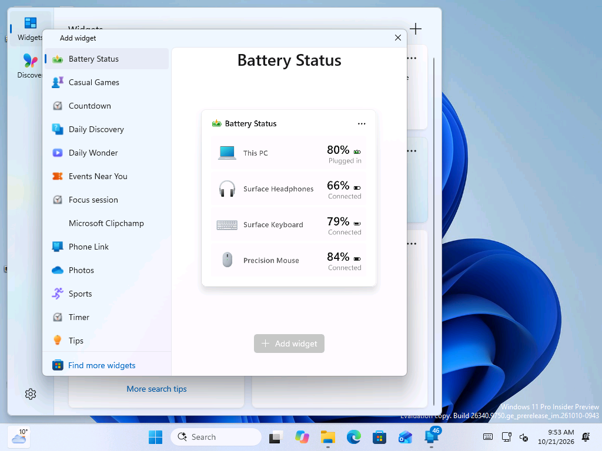
To add the widget, users can open the Widgets board, select Add widgets, and choose Battery Status. Its preview shows a PC at 80% charge alongside Surface Headphones, a Surface Keyboard, and a Precision Mouse, indicating a clear focus on MS’s own accessories.
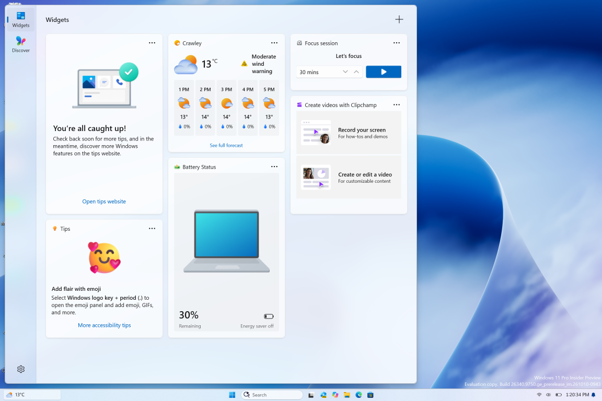
On a Surface Laptop, the widget displayed the computer’s charge at 30%, showed that Energy saver was disabled, and included an image of the device.
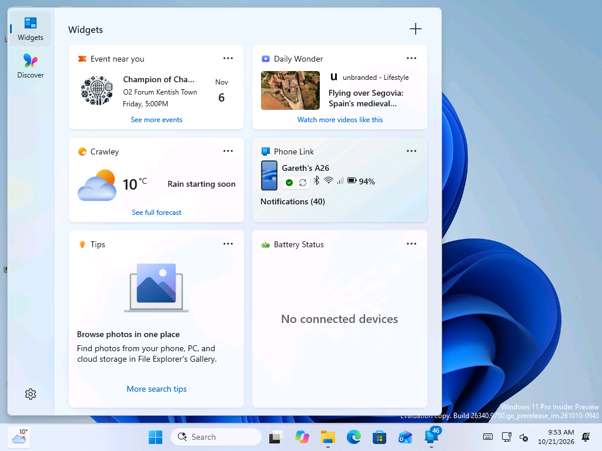
On a virtual machine without a battery, the widget displayed “No connected devices.” However, the neighboring Phone Link widget showed a connected A26 phone at 94%, indicating that phones already recognized by Windows are not currently treated as connected devices by Battery Status.
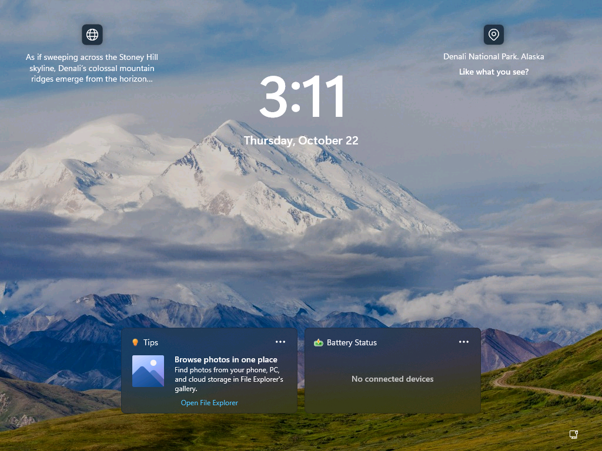
Battery Status can also be added to the lock screen alongside other widgets, making it possible to review device charge levels before signing in.
MS has not published a list of supported devices. Windows 11 already reports battery levels for some Bluetooth accessories under Settings > Bluetooth & devices, so the widget’s usefulness will largely depend on how many third-party mice, keyboards, and headsets it can detect.
Two Practical Improvements Windows 11 Needed Earlier
Adding Power Options to Xbox mode is arguably the more important update. If MS wants Windows handhelds and living-room PCs to provide a console-like experience, restarting or shutting down a device should not require a keyboard.
The Battery Status widget may nevertheless prove useful more frequently. Although the Widgets board is not always a regular destination, presenting several battery levels in one place gives it a clear practical purpose. Both additions demonstrate the value of addressing smaller, everyday frustrations within Windows 11.